

Plans
What each Spar plan includes, how the free trial works, and how to change or cancel.
The plans you see on the Billing page depend on your team type. Brand teams see Pro and Enterprise. Agency teams see Agency 5, Agency 10, and Enterprise.
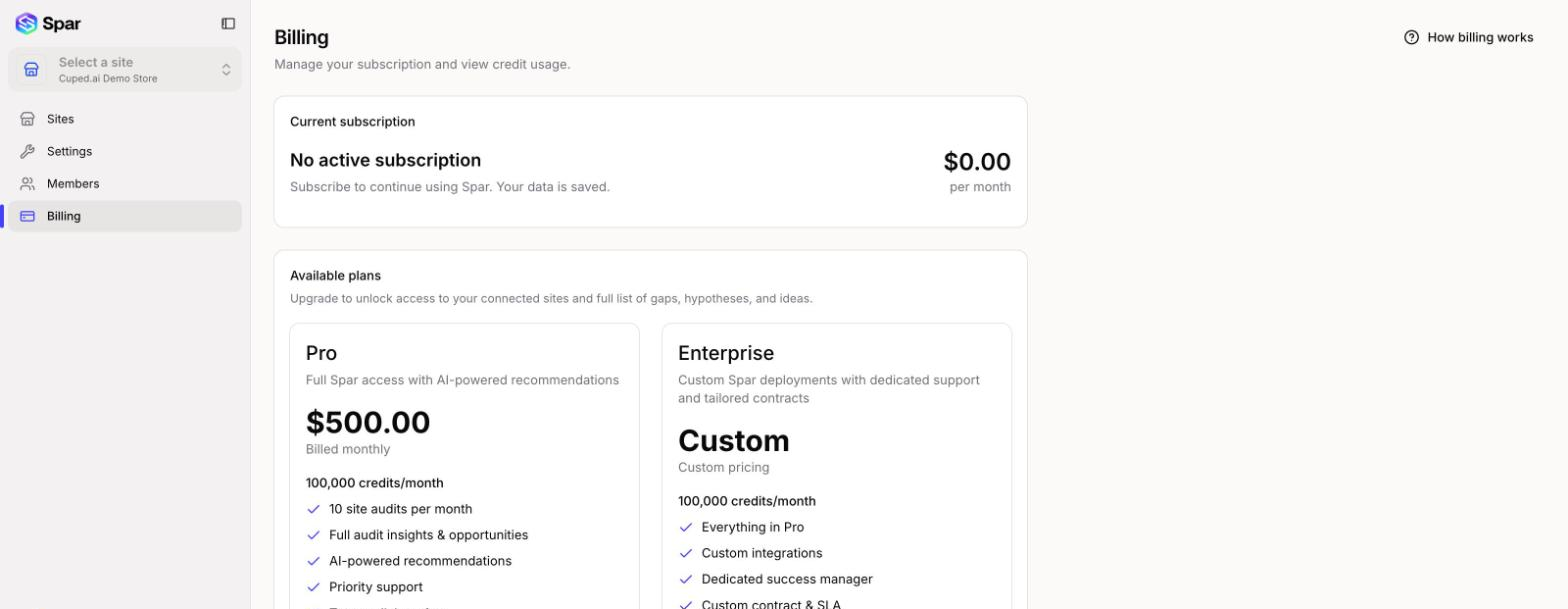
Pro
$500.00 a month for one site. The plan card lists:
- 100,000 credits/month
- 10 site audits per month
- Full audit insights & opportunities
- AI-powered recommendations
- Email support
- Team collaboration
- 5 seats included
Agency 5 and Agency 10
For agencies running CRO on several client sites from one team.
| Plan | Price | Sites | Credits/month | Seats |
|---|---|---|---|---|
| Agency 5 | $1,500.00 a month | 5 | 100,000 | 5 |
| Agency 10 | $3,000.00 a month | 10 | 200,000 | 10 |
Both include full audit insights & opportunities, AI-powered recommendations, priority support, and team collaboration. Agency plans have no free trial.
Enterprise
Custom pricing, with 200,000 credits a month. The card lists everything in Pro plus custom integrations, a dedicated success manager, and a custom contract & SLA. Click Book a call to talk to us about it.
Free trial
New brand teams can try Pro free for 14 days. The offer is open for the first 5 days after you create the team, and a banner counts down the time left to claim it. While it's open, the Pro card's button reads Start free trial. You enter payment details at checkout and aren't charged until the trial ends.
A team gets one trial. If your team has had a paid subscription before, or the 5 days have passed, the button reads Change plan and checkout starts a paid subscription straight away.
Without a subscription
When a team has no active subscription or trial, opening a site shows a Subscribe to continue screen with the available plans instead of the app. Your data stays saved, and everything comes back once you subscribe.
Change your plan
Click Change plan on the plan you want and confirm.
- Upgrades start right away. You pay a prorated amount for the rest of the current billing period and get a prorated credit bonus immediately, then the new plan's full credits from your next billing cycle.
- Downgrades take effect at the end of the current billing period. You keep your current plan's features and credits until then, and there's no prorated refund. The Current subscription card shows Downgrade scheduled with a Cancel downgrade button if you change your mind.
Cancel
Click Cancel subscription on the Current subscription card. Your plan stays active until the end of the billing period, and the card shows Scheduled for cancellation with the end date. Click Reactivate before then to keep your plan. After that date you'll need to subscribe again to keep using Spar, but your data is saved.
Last updated on