

Quickstart
Add your first store, kick off an audit, and review your first set of opportunities in about 10 minutes.
This walks you from sign-up to your first prioritized list of test ideas.
1. Sign in
Go to spar.so/auth and create an account with your work email. If you're already signed in you'll be sent straight to your workspace. If your team already has a workspace, ask an admin to invite you instead — that way you'll land in the right place automatically.
2. Add a store
After sign-in you'll land on your team's stores page. Click Add store and paste any publicly-accessible store URL. That can be your own store, a client's store, or a competitor you want to benchmark.
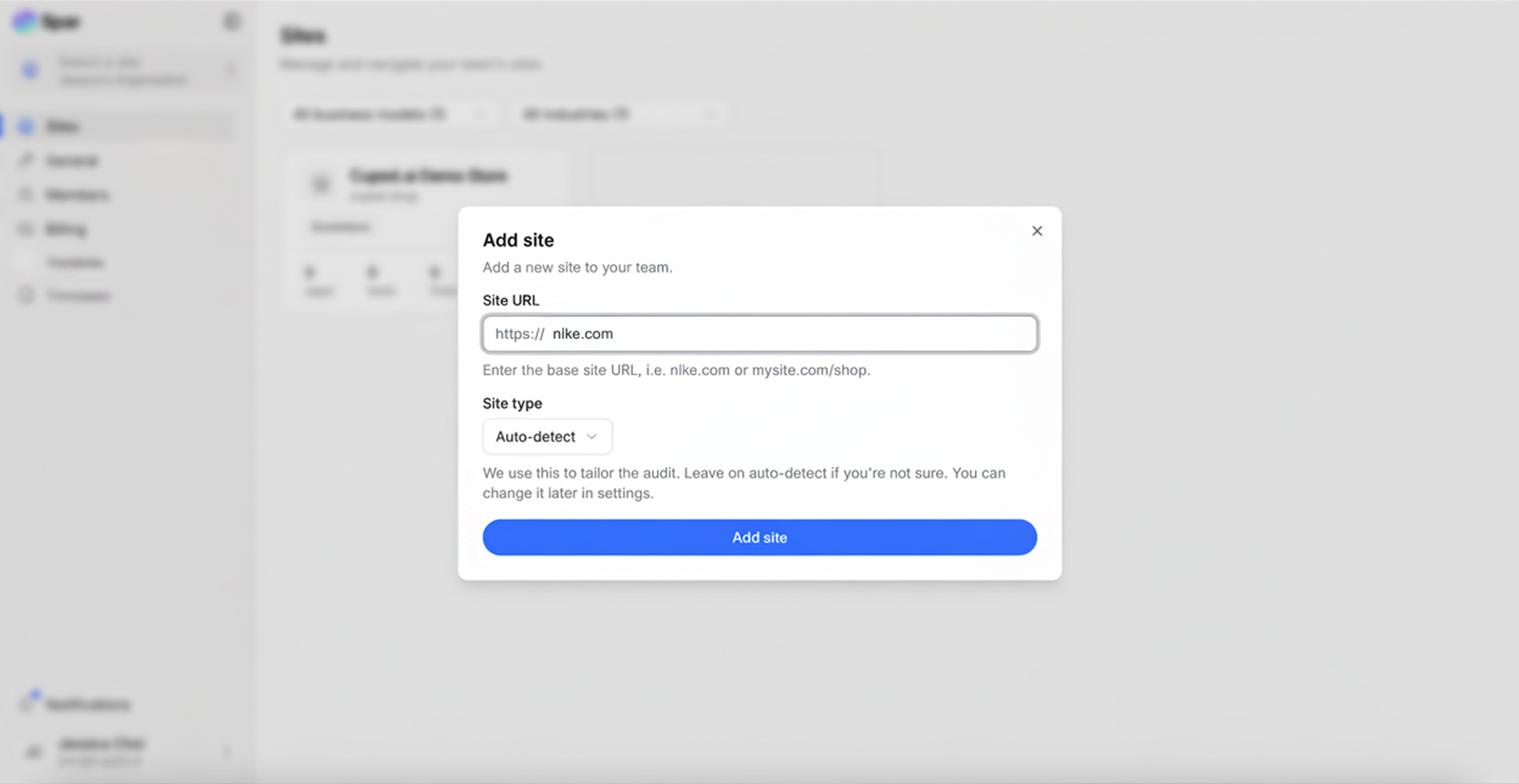
Spar needs to be able to load the URL like a normal visitor — there's nothing to install on the store itself.
3. (Optional) Connect analytics
Once the store is created you'll be prompted to connect data sources. You don't have to do this to run an audit, but every integration you connect makes the findings sharper:
- Google Analytics 4 — funnel, traffic source, and page-level metrics.
- Microsoft Clarity — heatmaps and session replays.
- Shopify — products, theme, and checkout flow.
You can always connect these later under Settings → Integrations.
4. Let the audit run
Spar profiles the brand, crawls representative pages, and runs thousands of UX rules in parallel against the code, content, and (if connected) the analytics data. The first audit usually takes 5–10 minutes.
You don't have to wait on the page — you'll be notified when it's done.
5. Review your first opportunities
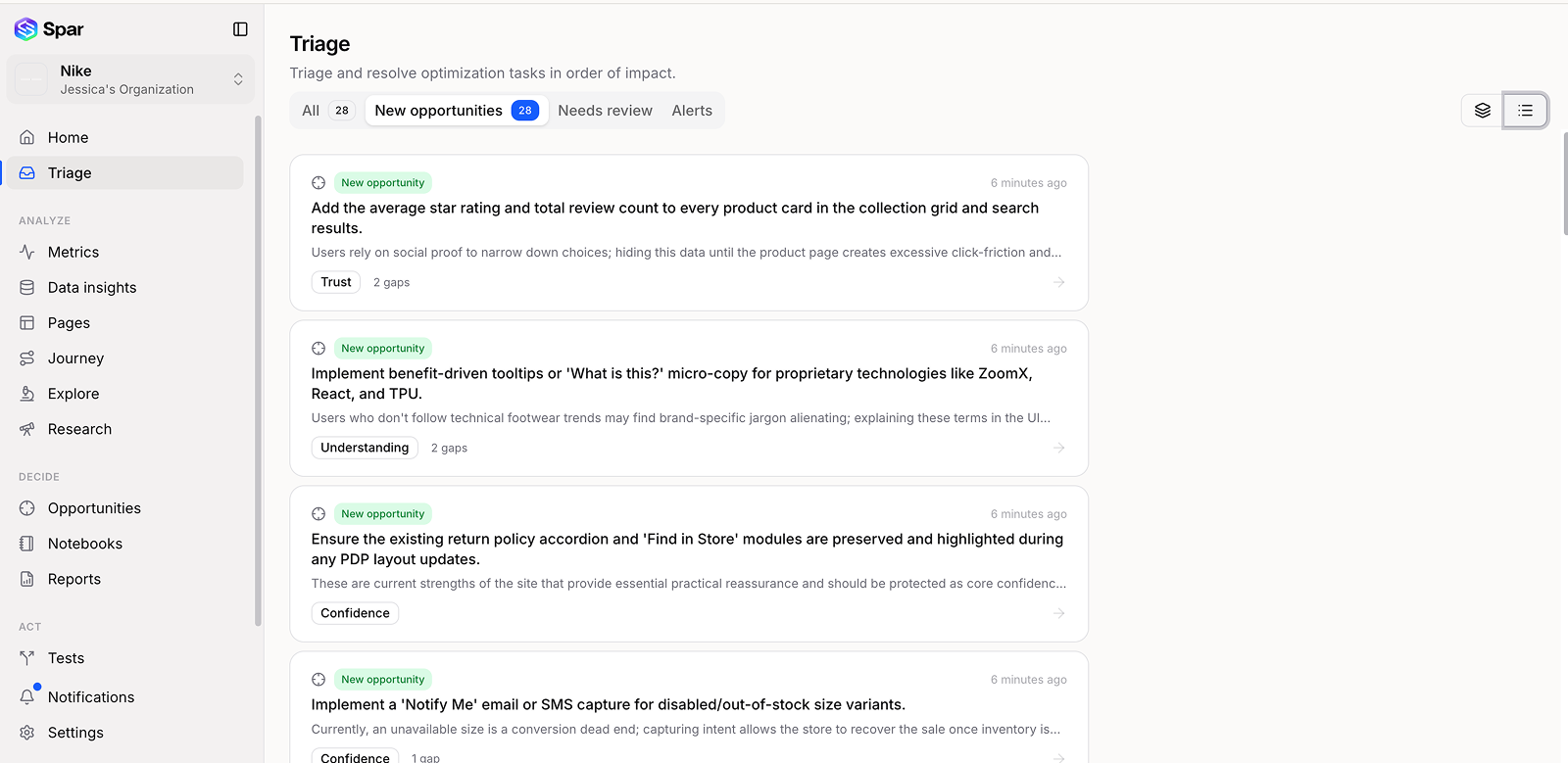
Once the audit finishes, the most useful first stops are:
- Home — health score and the top issues across your site.
- Triage — a ranked inbox of every gap with the highest revenue impact at the top. Triage is the fastest way to decide what to act on.
- Opportunities — evidence grouped into testable bets, each with an idea and a generated mockup preview.
From an opportunity you can spin up a Test, send a Report to a stakeholder, or push the issue into a Fix if it's an obvious change rather than something worth A/B testing.
Next
- How Spar works — the moving parts behind the audit.
- Running your first audit — what to expect when the audit is running and how to re-run it.
- Features — a tour of every section in the left sidebar.
Last updated on
Welcome to Spar
Spar audits your store, turns the findings into prioritized opportunities and tests, and tracks them to a winner. These docs explain how each part of the app works.
What Spar does
A plain-English overview of what Spar does for your store and how it's different from a checklist or a heatmap tool.