

Add inspiration from another site
Capture a reference page so it's searchable in Inspiration and can be cited in your hypotheses.
The Inspiration library is only as useful as what's in it. This guide covers adding your own inspiration pages so the next time you're sketching a hypothesis, the example is one search away.
1. Find a page worth keeping
Good candidates:
- Competitor pages with a treatment you want to remember.
- Stores in other categories that solved a similar problem well.
- Past variants you've tested elsewhere and want to reference.
- A page a stakeholder sent you that you want available for later.
2. Add the URL under Settings → Inspiration
Go to Settings → Inspiration. Paste the URL and submit.
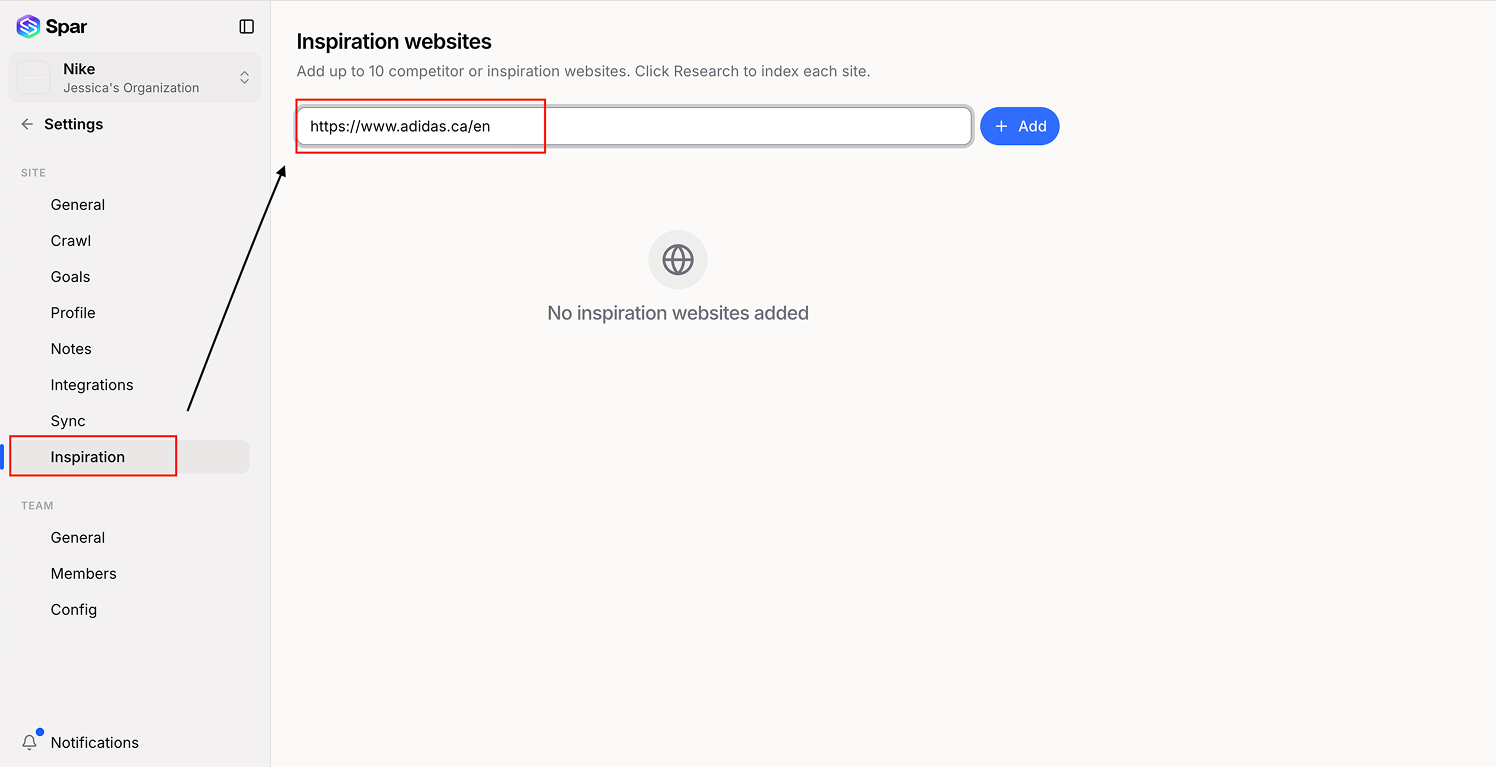
Spar will capture a screenshot and a textual description of the page in the background. This usually takes under a minute.
3. Verify it appears in Inspiration
Open Inspiration. The page should show up in the grid, searchable by title, visible text, and tags.
4. Cite it from an opportunity
Once it's in the library, you can reference it from any opportunity:
- Open the opportunity.
- Under the hypothesis, click Add inspiration.
- Search for your captured page and attach it.
The attached inspiration shows up on the opportunity detail page, in Reports, and on shared links — so stakeholders can see the "this kind of treatment" reference without leaving Spar.
Keeping the library useful
A few habits help:
- Add inspiration as you find it, not in a batch later. You'll forget what you liked about it.
- One sentence in the notes field about what's interesting saves future-you a lot of clicking.
- Periodically remove stale entries — sites change, and a dead reference is worse than no reference.
Last updated on