

Re-audit after a site change
Re-crawl the store after a redesign, a fix, or a test win — and see what shifted in your gaps, opportunities, and health score.
After you ship something material — a redesign, a checkout change, a batch of fixes — the right next move is a fresh audit. This guide covers when to re-audit, how to do it, and how to read the diff.
When to re-audit
- After a theme change or redesign on a Shopify store.
- After shipping a batch of Fixes.
- After a winning test rolls out to 100% of traffic.
- After connecting a new integration (e.g. GA4 for the first time) so scoring uses real numbers.
- On a regular cadence if the site changes frequently — monthly is a reasonable default.
You don't need to re-audit after every tiny change. The audit costs time and crawl budget; save it for changes you expect to move the needle.
1. Trigger the re-audit
Go to Home for the store and click Run audit in the top-right. You can pick:
- Full re-crawl — re-fetches every page Spar knows about. Use this after big changes.
- Refresh — re-runs rules against the existing crawled pages without re-fetching. Faster, but only catches rule-level changes.
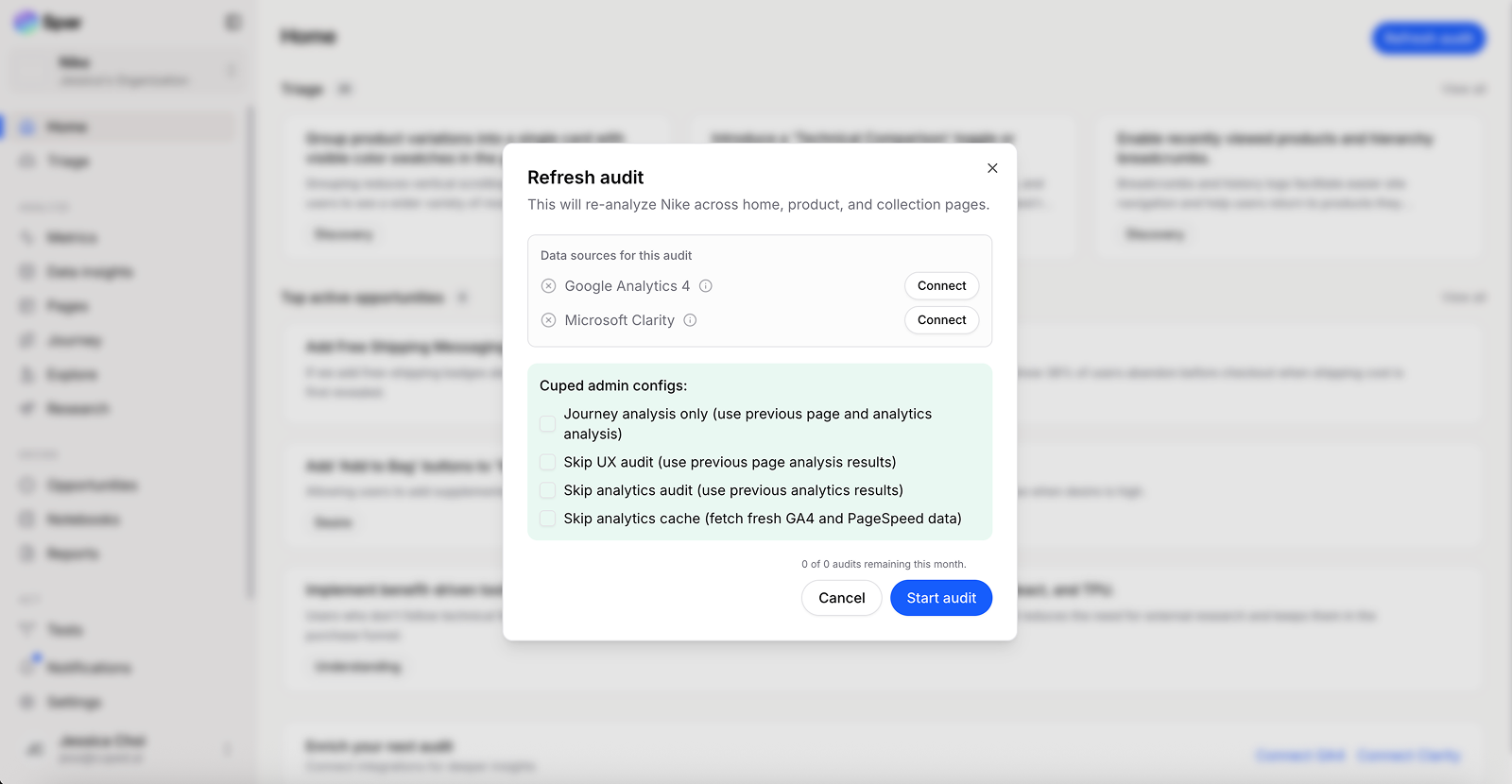
Audits run in the background — you don't have to stay on the page. You'll be notified when it's done.
2. Check what gaps closed
Open Triage. Recently-closed gaps move out of the list — that's the wins from your changes showing up.
If a gap you expected to close is still there, two likely reasons:
- The change didn't fully satisfy the rule. Open the gap to see what Spar is still flagging.
- The audit ran before the change deployed. Re-run after the deploy rolls out.
3. Look at new gaps
Sometimes shipping a change opens new gaps. Triage will surface them ranked with everything else. Treat them as a normal triage pass — see Triage your first audit.
4. Re-score opportunities
Open Opportunities and click Estimate impacts. This re-runs scoring against the post-audit data, so the ranking reflects what each opportunity is now worth.
Some opportunities may drop sharply — that's expected when the underlying gap closed. Others may rise as analytics caught a worsening trend somewhere else.
5. Note the win
If a shipped change moved the score, add a quick note on the Notebook for that store, or attach it to the related test/fix card. Your future-self (or a stakeholder) will want the receipt that "yes, this change worked."
Last updated on