

General
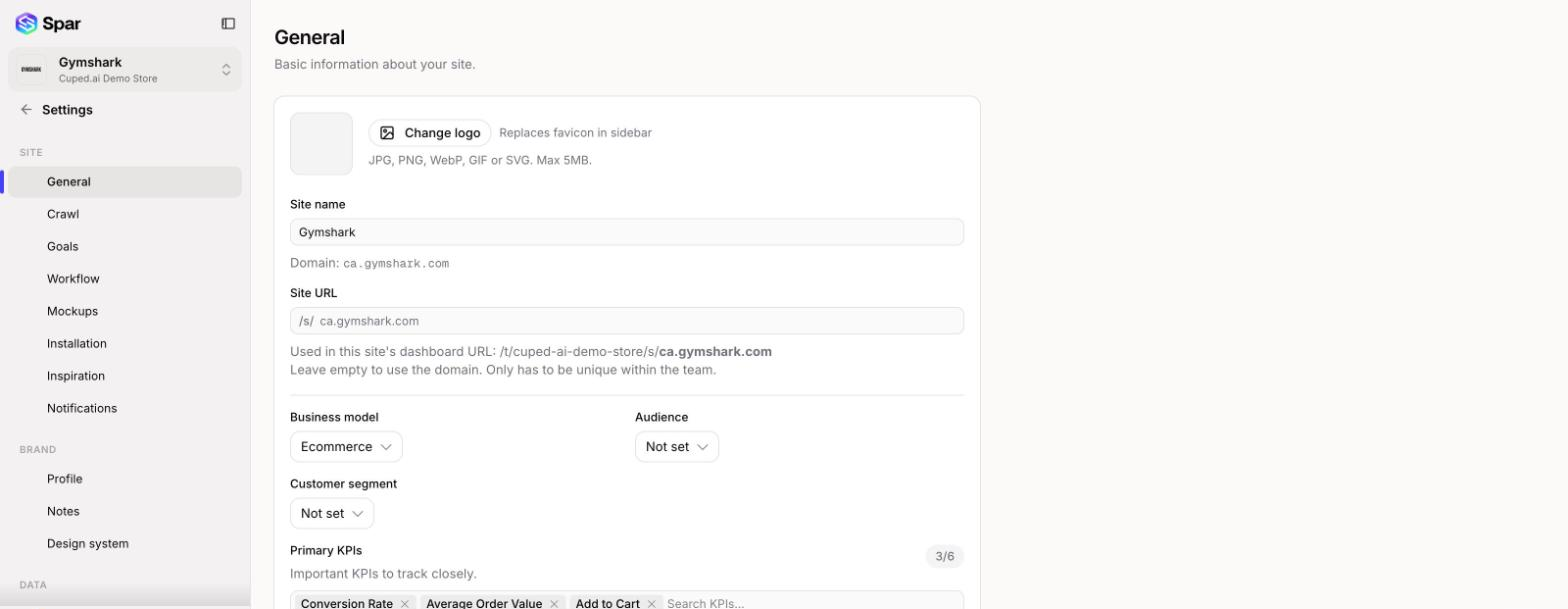
Set the site's logo, name, dashboard URL, business model, audience, and primary KPIs.
Settings > General holds the basic facts about the site you have open. Change any field, then save with the bar that appears at the bottom of the page.
Logo
Click Upload logo (or Change logo if one is set) to pick an image. It replaces the favicon next to the site's name in the sidebar. JPG, PNG, WebP, GIF, and SVG files up to 5MB work.
Site name and URL
- Site name is how the site appears in the store switcher and across Spar. The domain Spar audits is shown underneath it and can't be changed here.
- Site URL sets the part of your dashboard address after
/s/. Leave it empty to use the domain. It only has to be unique within your team. Saving a new value reloads the page at the new address, so update any bookmarks.
Business model and audience
- Business model: Ecommerce, Marketplace, Professional services, Local services, Lead gen, SaaS, Content, Membership, or E-learning. Leave it on Auto-detect to let the audit decide. The business model controls which KPIs, objectives, and page types Spar offers you elsewhere.
- Audience: B2C, B2B, B2B2C, B2G, or Mixed.
- Customer segment: SMB, Mid-market, or Enterprise. It's hidden when the audience is B2C.
- Verticals served: only shown for B2B. Type the industries your customers are in and press Enter after each one.
Changing the audience clears the customer segment and verticals.
Primary KPIs
Pick up to six KPIs to track closely. The list only offers KPIs that fit your business model, and changing the business model resets this list to that model's defaults.
Site owner
Choose the team member who's the main point of contact for this site. Spar's email notifications for the site go to this person (see Notifications).
Chat instructions
Add extra context for Spar's AI chat assistant to use whenever someone on your team chats about this site. Team-wide chat instructions live in your team settings instead.
Last updated on