

Notifications
Set the Friday digest timezone and choose which emails Spar sends for this site.
Pick which emails you get about this site, and when the weekly digest arrives, in Settings > Notifications. Changes save right away.
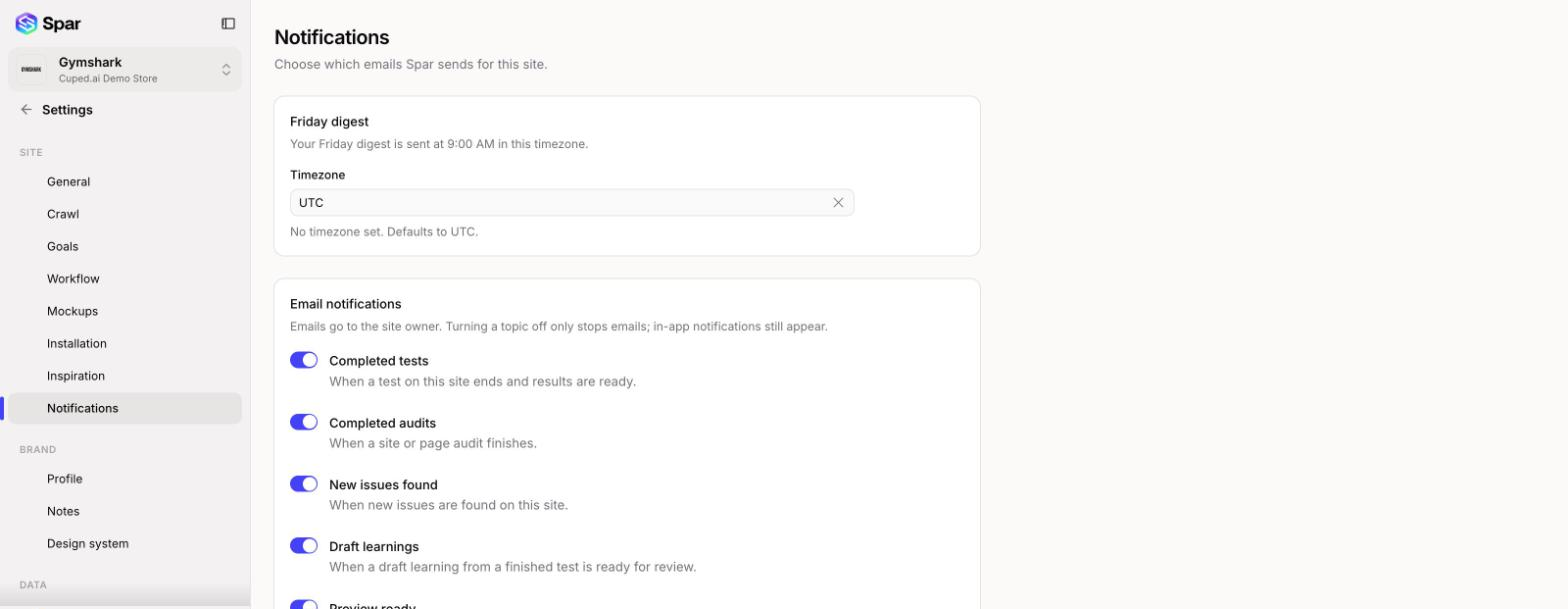
Friday digest
Spar sends a digest every Friday at 9:00 AM in the timezone you pick under Timezone. Type to search the list. If no timezone is set, the digest goes out at 9:00 AM UTC.
Email notifications
Emails go to the site owner, who you set in General. Each topic has its own switch:
| Topic | Sent when |
|---|---|
| Completed tests | A test on this site ends and results are ready |
| Completed audits | A site or page audit finishes |
| New issues found | New issues are found on this site |
| Draft learnings | A draft learning from a finished test is ready for review |
| Preview ready | A variation preview finishes building |
| Unfinished draft reminders | A test draft is left unfinished |
| Test delivery alerts | A running test gets no visitors, or the storefront embed is off |
| Next test suggestions | A test finishes, as a nudge to start the next one |
All topics are on by default. Turning one off only stops the email. You'll still see the notification inside Spar.
Each of these emails also has an unsubscribe link that turns off just that topic for this site. You can turn it back on here any time.
Last updated on