

Sync
Choose where new tests and fixes get pushed, and whether Spar pushes them automatically or waits for you.
When a test or fix reaches Draft on the Board, Spar can send it to your experimentation platform or task manager. Settings > Sync sets where it goes and whether Spar sends it on its own. Changes save right away.
This page used to be called Tests. Old links to Settings > Tests now open Sync.
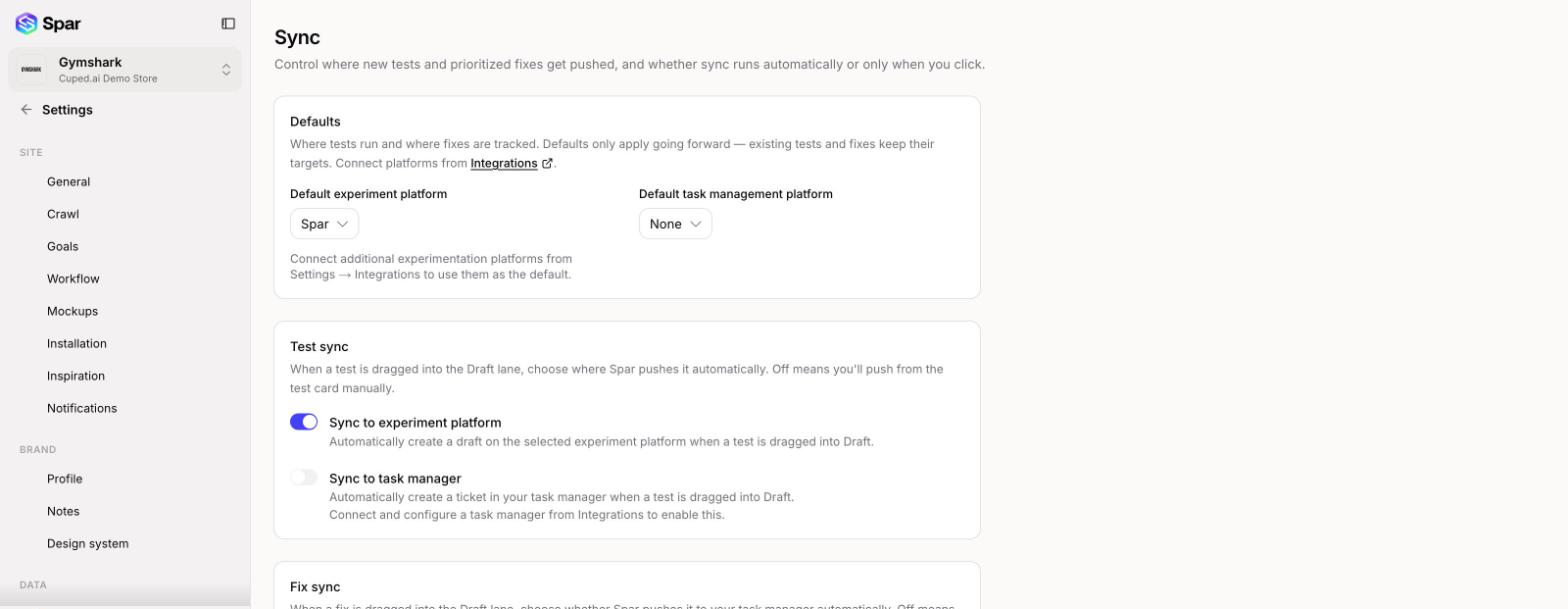
Defaults
- Default experiment platform: where new tests run. Spar runs them with the Spar script on your site. If you've connected Intelligems, GrowthBook, or Convert in Integrations, you can pick one of those instead.
- Default task management platform: where tickets for tests and fixes get created. Choose None, or a connected Jira, Asana, or ClickUp. A platform marked (finish setup) still needs its project chosen on the Integrations page.
Defaults only apply to new work. Existing tests and fixes keep the platform they already have. To run one test somewhere else, change Experiment platform on that test's Launch tab (see Board).
If you disconnect the integration a default points to, a yellow Previous default is unavailable notice appears. New tests go to Spar, and no task manager is used, until you choose a new default.
Test sync
- Sync to experiment platform: when a test is dragged into Draft, Spar creates a draft for it on your default experiment platform.
- Sync to task manager: when a test is dragged into Draft, Spar creates a ticket in your task manager.
With a switch off, nothing happens automatically and you push from the test card yourself. Sync to task manager stays grayed out until a task manager is connected and configured.
Fix sync
Sync to task manager: when a fix is dragged into Draft, Spar creates a ticket for it. With this off, click Create in tracker on the fix card (the button names your tool, such as Create in Jira).
KPI source
This card only appears when both Google Analytics 4 and Shopify are connected (and the site isn't a lead gen site). Choose which one supplies the sessions, conversions, and revenue on the Home and Metrics pages. After you switch, the history refreshes from the new source on the next update.
Last updated on