

Inspiration
Add up to 10 competitor or inspiration websites and index their pages for Spar to search.
Choose which outside websites Spar learns from in Settings > Inspiration. Spar crawls the sites you add, and their pages become searchable on Inspiration and show up as inspiration on opportunities.
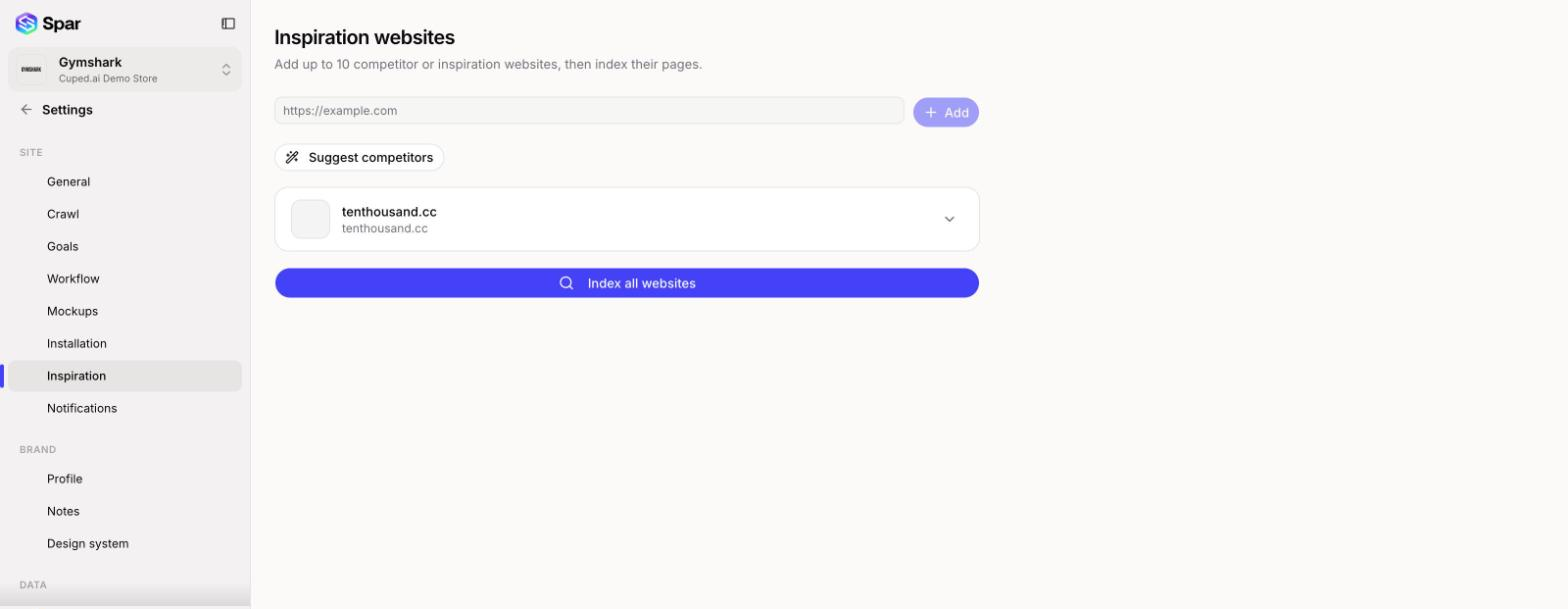
Add a website
Paste a site's address into the box (for example https://example.com) and click Add, or press Enter. You can add up to 10 websites.
If you're not sure where to start, click Suggest competitors. Spar lists a few suggested sites, each with a short reason. Click Add on the ones you want or the X to skip one. Click Suggest more for another batch.
Index the pages
Adding a site doesn't crawl it yet. Click Index all websites to crawl every site on the list, or hover over one site and click its refresh icon (Re-crawl) to crawl just that one. The button shows Indexing in progress... while it works.
Click a site to expand it and see the pages Spar has crawled. Click a page to see its details.
Remove a website
Hover over the site and click the trash icon. Once you confirm, its crawled pages are no longer used as inspiration.
To save a single section of a page you like while you browse, use the Chrome extension described on Inspiration instead.
Last updated on