

Mockups
Pick the image model for AI mockups and decide whether mockups start when you create a test.
When you create a test from an idea that changes the page's design, Spar can draw a mockup of the change. Settings > Mockups controls how those mockups get made. Changes save right away.
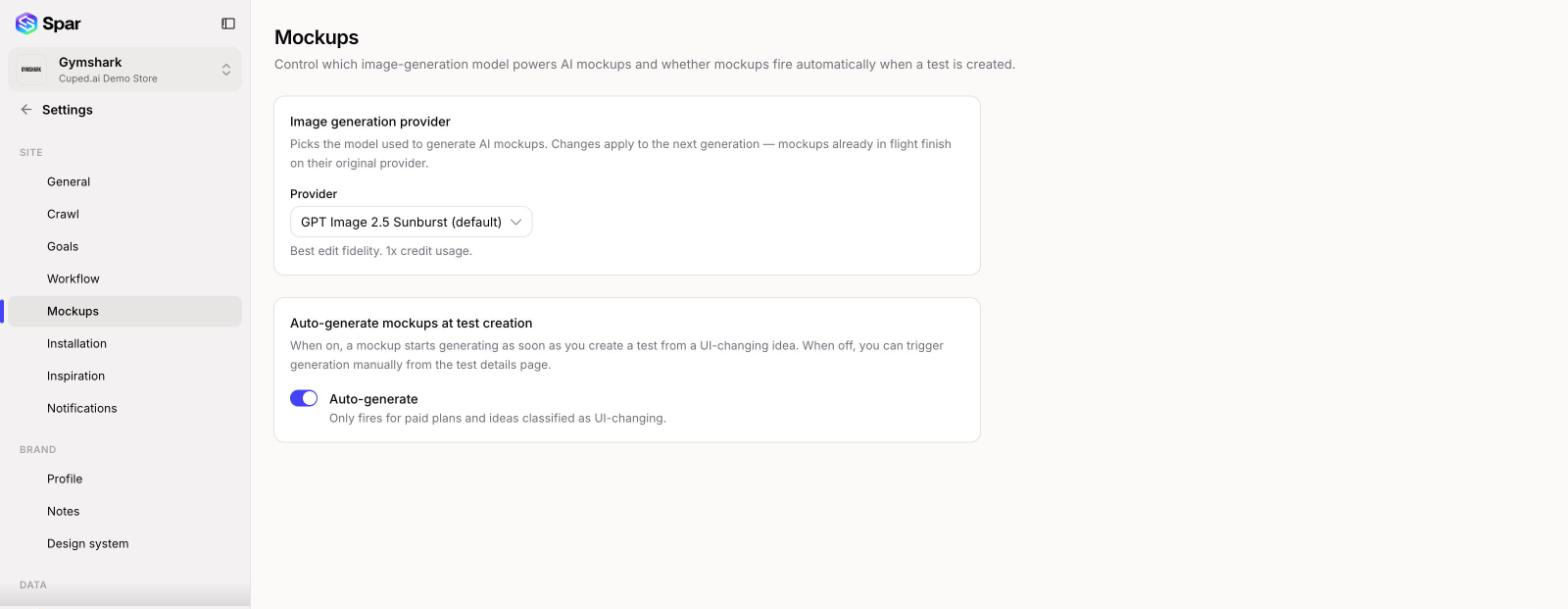
Image generation provider
Choose the model under Provider. The line under the dropdown describes the one you picked and how many credits it uses per mockup compared with the default.
| Provider | Notes | Credit usage |
|---|---|---|
| GPT Image 2.5 Sunburst (default) | Best edit fidelity | 1x |
| GPT Image 2.5 Flare | Faster, slightly looser edits | 1x |
| Nano Banana Pro | Highest quality | 2x |
| Nano Banana 2 | Quality varies | 1x |
| GPT Image 2 | Alternative style | 3x |
A new choice applies to the next mockup. Any mockup that's already generating finishes with the provider it started on.
Auto-generate mockups at test creation
With Auto-generate on, a mockup starts as soon as you create a test from a design-changing idea. With it off, you start generation yourself from the test's page.
Auto-generate only runs on paid plans, and only for ideas Spar classifies as changing the page's design.
Last updated on