

Workflow
Choose whether accepted opportunities queue tests on their own, and how Spar declares a test winner.
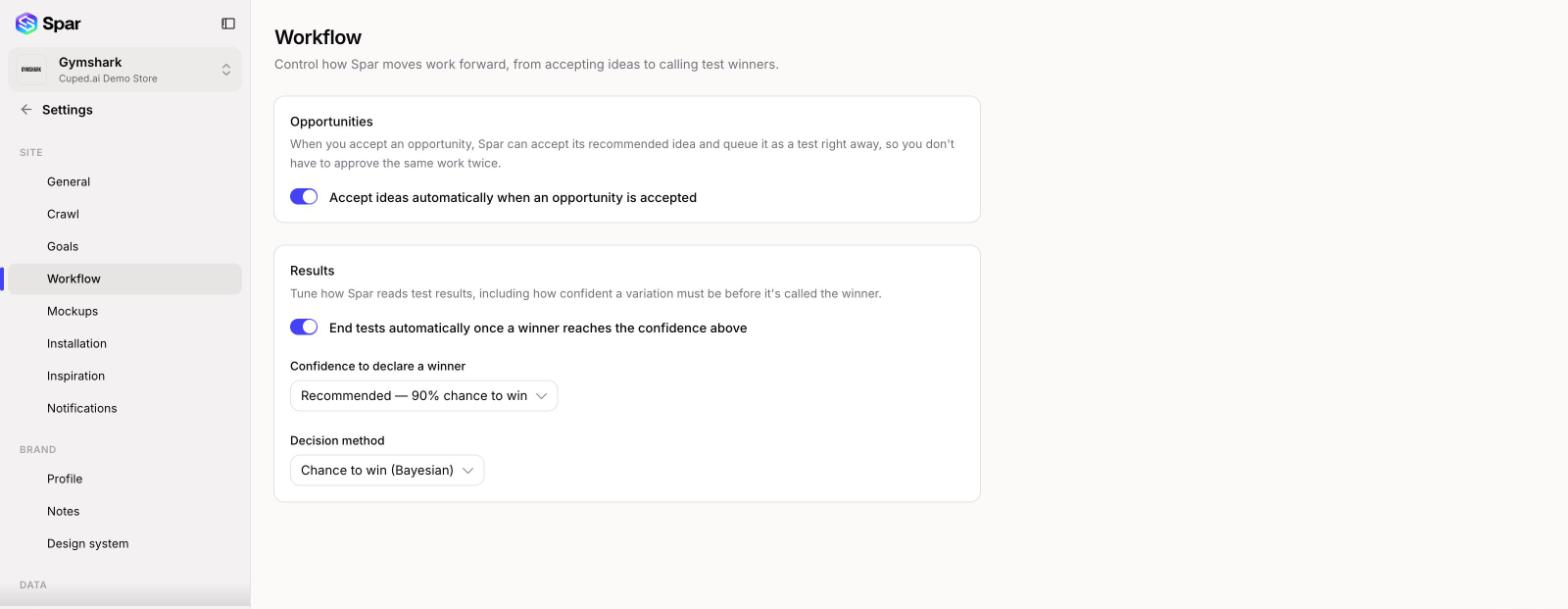
Spar can take two steps for you: queuing a test when you accept an opportunity, and ending a test once a winner is clear. Turn either on or off in Settings > Workflow. Each change saves as soon as you make it.
Opportunities
Accept ideas automatically when an opportunity is accepted is on by default. When you accept an opportunity, Spar also accepts its recommended idea and queues it as a test, so you don't approve the same work twice. Turn it off if you'd rather review each idea separately.
Results
These settings decide when a variation counts as the winner.
- End tests automatically once a winner reaches the confidence above: on by default. With it on, a test ends once a variation reaches your confidence level. Turn it off if you want to decide when each test ends.
- Confidence to declare a winner: Aggressive (80% chance to win), Recommended (90%, the default), or Conservative (95%). A lower bar reaches a decision sooner and takes on more risk of picking the wrong variation.
- Decision method: Chance to win (Bayesian) is the default. Sequential (always-valid) is an alternative that stays reliable even if you check results often.
Last updated on